This one was intended to solve an issue that I regularly faced. I often have both a test and production version of a database and I found it arduous to transfer new versions of database objects (tables, forms, queries, reports, modules) from my test to production environments. I spent too much time selecting each individual object, invoking the Export utility and then having to answer multiple prompts to complete the transfer. I built this tool to make my own life easier.
The solution is an Access database with a form that allows the user to select both the source (test) and destination (production) databases. Once selected, the user can then the type of object they wish to transfer.
In the screen shot shown here, the Northwind database was chosen for the source database, and Forms was selected as the object type. Immediately the list of forms is shown in the left listbox.
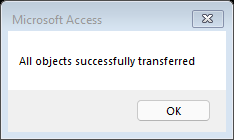
Using the Ctrl or Shift keys, multiple entries from the list of forms can be selected. The two buttons in the center of the screen will move the selected forms between the lists. Once the desired forms are displayed in the right list box, the user clicks the Run button to initiate the object transfer(s).
This utility includes functionality that can be used in a variety of databases:
Use of the Windows File Dialogue to locate a file
Moving items between lists
Dynamic linking and “unlinking” of tables via VBA
Transferring of objects from one database to another via VBA
Hope you find this one useful. Let me know if you do! Here is the download for this example